Windows
安装
三种方式:
- Microsoft Store 搜索
oh-my-posh winget install JanDeDobbeleer.OhMyPosh -s winget- Releases · JanDeDobbeleer/oh-my-posh (github.com)
配置
官方在这里给出了各个命令行工具的配置方法。本文只介绍 Windows PowerShell (PowerShell)其实也通用。
打开 Windows PowerShell
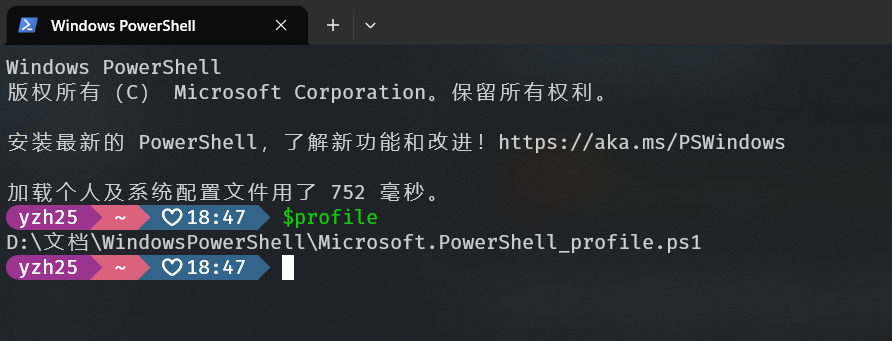
>>>$profileD:\文档\WindowsPowerShell\Microsoft.PowerShell_profile.ps1在上面的路径下创建这个 .ps1 文件(通常情况下应该是没有的)。这个就是你当前所用 terminal 的配置文件,在每次启动 terminal 时会预先加载该文件。
oh-my-posh init pwsh --config {json主题路径} | Invoke-Expression在 .ps1 文件中添加上述内容,保存后重启 terminal 即可。
主题路径问题
如果是 winget 安装的,主题包好像是在 C:\Users\你的win名字\AppData\Local\oh-my-posh\xxx (所以我为啥手动装,微软啥都往 C 盘塞)。
如果你是手动安装的,那主题包就是你解压 themes.zip 的地方。
主题样式预览见 Themes | Oh My Posh
Linux
我用的是 Debian10,其余系统应该差异不大。
安装
curl -s https://ohmyposh.dev/install.sh | bash -s配置文件添加:
eval "$(oh-my-posh init bash --config ~/M365Princess.omp.json)"字体问题
如果你查看官方文档,会反复看见他们推荐你下载Nerd Fonts 。这个字体除了基本的文字外,还包含一些特殊符号或者小图像,如果你的 terminal 不支持这些样式,可能就会显示成一个方框或者乱码。
具体下载哪一个,随你喜欢就好。
这个字体并不需要在 PowerShell 或者 bash 这类命令行中配置,而是需要在你的终端 Terminal 中配置。
[!danger] 我就跟个傻逼一样,倒腾了几个小时的 Debian 系统字体更换,最后发了个 issue,人家 3 分钟不到就给我解决问题了
How to make Nerd Font work on Debian’s bash? · Issue #3884 · JanDeDobbeleer/oh-my-posh (github.com)
所以说,你在百度/Google 上看到的 Linux 使用 oh-my-posh 教程,10 个有 9 个是 Ubuntu,9 个里有 8 个在互相 copy,也是 nm 离谱…
其实一般情况下,只需要在 Windows 平台安装 Nerd Font 字体就行了,然后在你的 ssh 连接工具(Windows Terminal, Tabby, Alacritty, Electerm 等)中配置字体显示就行了。Linux 平台压根不用装字体。
说的就是下面这种
[!error]
Terminal window


分享文章
生成精美分享图或复制链接,与更多人分享本文。
继续阅读
最后更新于 ,距今已过 1208 天
部分内容可能已过时